/assets/aerial-photo-editing/hero-background.v1.jpg)
Aerial & Drone Photo Editing
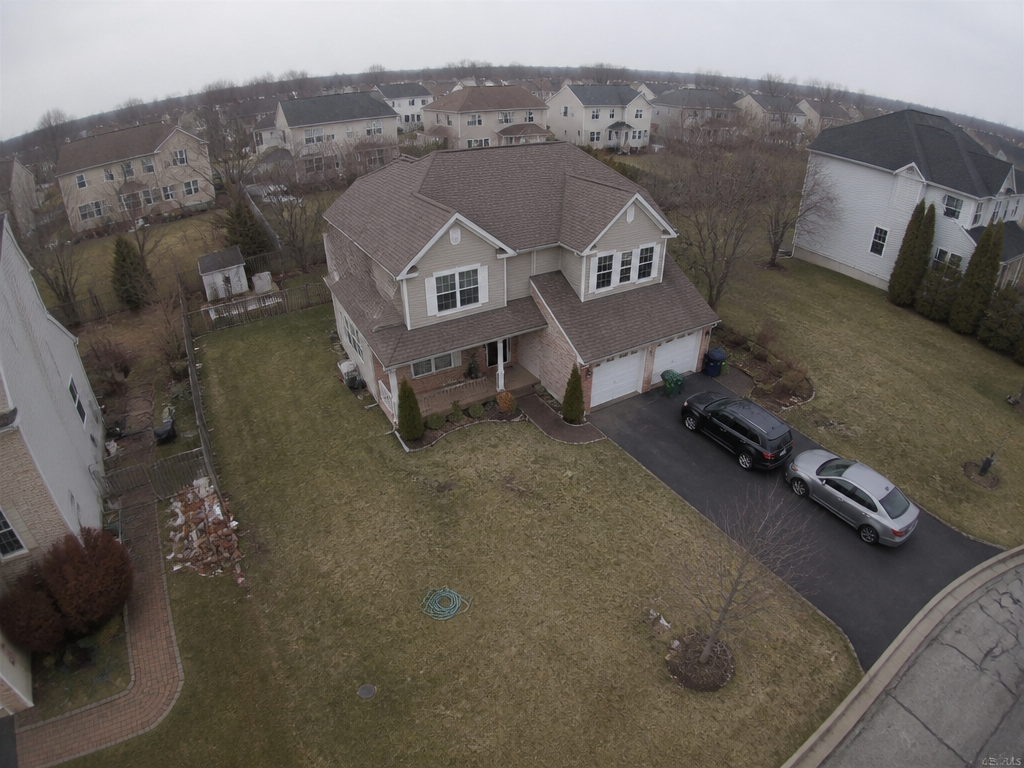
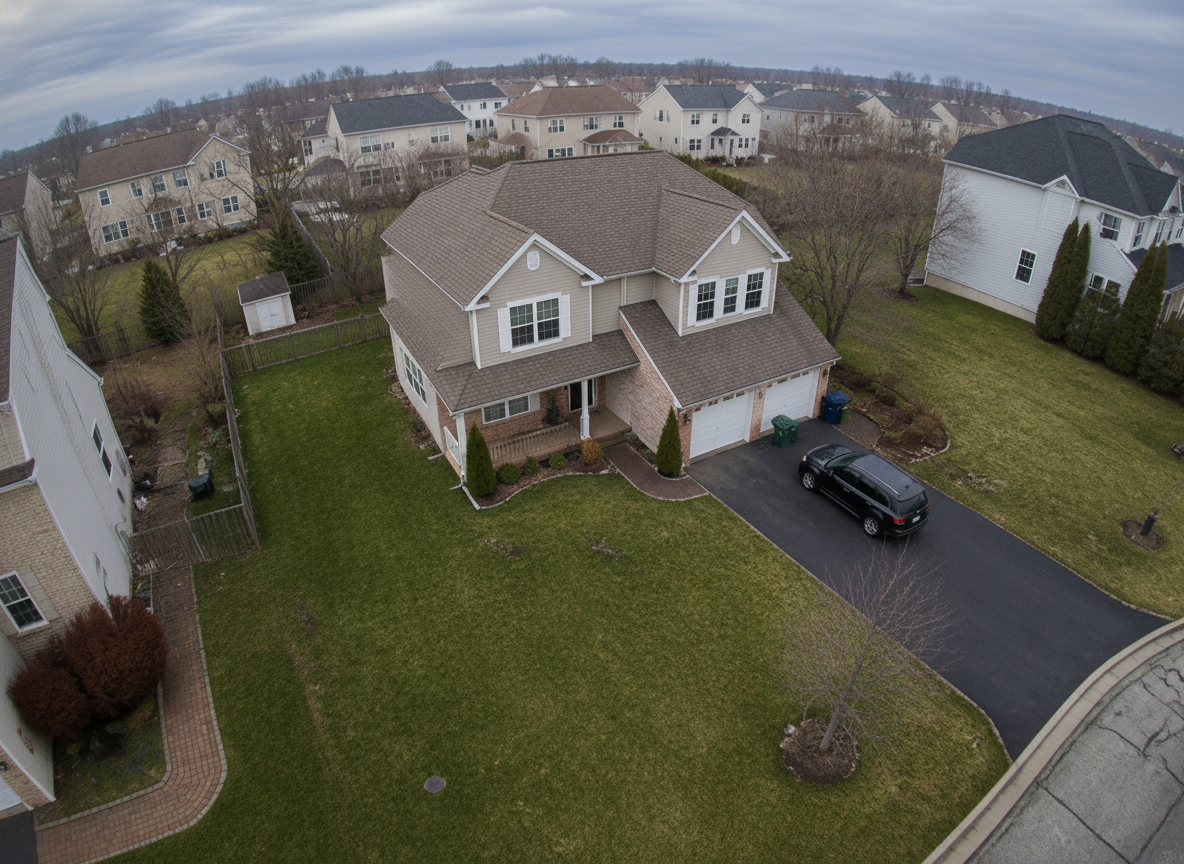
Recover everything haze, exposure, and wide-angle distortion stole from your drone shots. AI dehaze, color revival, lens correction, and ground clean-up — without re-rendering the property.
/assets/_shared/icons/upload.v5.png)
值得信赖的品牌
A Targeted Edit for Aerial — Not Just a Generic Enhance
Intensity Levels
Intensity LevelsProcessing
ProcessingMore Views vs. Unedited Aerials
More Views vs. Unedited AerialsReshoots Needed
Reshoots NeededHow It Works
From a hazy raw drone export to a listing-ready aerial in four quick steps
- 01
Upload Drone Photo
Drop in any aerial — overhead, oblique, or orbit shot from DJI, Autel, or Skydio
- 02
Pick Intensity
Choose Natural, Enhanced, or Vivid — and toggle dehaze, lens fix, or clutter removal
- 03
AI Runs the Correction Pass
Dehaze, exposure balance, color revival, sky clean-up, and lens distortion fix — property and lot stay locked
- 04
Download Results
Get a photorealistic, listing-ready aerial at full original resolution
Edensign 与其他方案对比
| 传统实体布置 | 普通 AI 工具 | Edensign | |
|---|---|---|---|
| 交付时长 | 数天到数周 | 最长 2 小时(邮件回传) | 15 秒,直接显示在屏幕上 |
| 每条房源成本 | $2,000–$5,000 | 单张照片成本相近 | 低至 $0.78/张 |
| 多视角布置 | 实时 | 实时,全部视角 | |
| 结果交付 | 实体 | 邮件 | 即时显示在屏幕上 |
| 无限次修改 | 视情况 | 所有套餐均包含 | |
| 批量处理 | 视情况 | 所有套餐均包含 | |
| MLS 文案生成 | 高级版及以上套餐 | ||
| 免费试用 | 视情况 | 2 间房免费 | |
| 免信用卡即可开始 | 视情况 |
Testimonials
Loved by agents who want every listing to look its best
Edensign's AI editing transformed my empty listings instantly. Clients can finally picture themselves in the space, and I've seen noticeably more showings since I started using it.
Sarah Mitchell
Real Estate Agent, Seattle
A game-changer for pre-sales. We polish exteriors and interiors before the listing goes live, and the turnaround is seconds instead of the weeks a vendor used to take.
Raj Patel
Property Developer, Austin
The output drops straight into our MLS and OTA channels at full resolution. No reformatting, no reshoots — it has quietly removed a whole step from my listing workflow.
Marcus Chen
Listing Photographer, San Francisco
I manage hundreds of units, and being able to fix photos in bulk changed everything. What used to eat a full day now takes minutes, and the quality is consistent every time.
Jennifer Rodriguez
Property Manager, Miami
Buyers respond to the emotion in a great photo. Edensign lets me give every listing that hero-shot polish without booking a second shoot day.
Amanda Foster
Luxury Real Estate Broker, Boston
Fast, photorealistic, and convincing. Clients cannot tell it was edited, and I disclose it anyway — it just makes the listing look its best.
Kenji Yamamoto
Commercial Real Estate Agent, Los Angeles
Frequently asked questions
Upload a single drone photo and choose an intensity. Our AI runs a multi-pass correction tuned for aerial: atmospheric dehaze, dynamic-range exposure balance, landscape color revival, sky clean-up, and wide-angle lens distortion fix. The property, lot layout, neighbors, and time-of-day stay exactly as flown — only color, contrast, atmosphere, and lens artifacts change. Most photos finish in about 15 seconds.
Photo Enhancement is tuned for interior and exterior at ground level — white balance for white walls, perspective correction for indoor verticals. Aerial Photo Editing is built around drone-specific problems: altitude haze, wide-angle drone lens curve, sun-vs-shadow exposure swings across a whole lot, and oversaturated landscape revival. Use Enhancement for interior and ground-level exterior; use Aerial for anything shot from a drone.
Sky Replacement swaps the entire sky region for a different sky style (clear blue, dramatic clouds, sunset, etc.). Aerial Photo Editing cleans up the existing sky's color and haze but keeps its original character — clear stays clear, cloudy stays cloudy. Use Sky Replacement when the sky itself is the problem; use Aerial when haze, exposure, lens curve, and landscape color are the problem.
Three: Natural (truthful editorial finish, +5–10% saturation), Enhanced (listing-ready balanced pop, +15–20%), and Vivid (cover-worthy magazine grade, +25–35%). All three apply the same correction passes — only the strength of color and contrast differs.
Yes. House shape, roof pitch, window placement, paint color, materials, lot layout, driveway, walkways, fences, pool position, neighboring houses, streets, mailboxes, and signage all stay locked. The camera altitude, angle, framing, and focal length are also preserved.
Any drone camera: DJI Mavic series, DJI Air, DJI Mini, DJI Phantom, Autel EVO, Skydio, Parrot Anafi, and others. JPG and PNG exports work directly. RAW workflows: export as 16-bit TIFF or high-quality JPG first, then upload.
Yes — toggle "Remove ground clutter" in the demo. The AI removes obvious non-permanent items like trash cans on the curb, traffic cones, garden hoses, and delivery vans. Permanent features like mailboxes, signage, fences, plant beds, and trees are always preserved.
Yes. Run a batch through the same intensity for a consistent listing look, or process each frame individually. Overheads, oblique angles, orbit shots, and lot-line context can all be graded to the same finish.
Color, exposure, dehaze, and lens correction are universally accepted as professional photo edits — the same a photo editor would do in Lightroom. Optional ground clutter removal is also widely accepted. We recommend disclosing AI-edited photos in your listing description where local regulations require it.
Around 15 seconds per drone photo. Batch aerial sets are processed in parallel, so a typical listing flight is ready in 30s - 1min.
No. We preserve your original drone export resolution and avoid over-compression, so results are ready for MLS, OTA channels, brochures, and printed marketing.