
AI-Powered Wall Repainting
Repaint any wall in seconds. Upload one interior or exterior photo and instantly preview the room with a fresh coat — pure white, warm white, soft beige, light gray, sage green, navy, charcoal, or terracotta — without lifting a brush or rebooking the photographer.


The Edensign Workflow
From raw photos to a market-ready listing.
- 01Step 01
Analyze & Price
Upload your photos and an address.
- You are here02Step 02
Stage & Design
Pick a room and a style.
- 03Step 03
Publish & Sell
Review and export.
- MLS-ready description
- Export the full package
- Shareable buyer pageComing soon
- Listing performance trackingComing soon
Trusted By
- CENTURY 21
- Keller Williams
- RE/MAX
- Coldwell Banker
- eXp Realty
- @properties
- Compass
- Sotheby's International Realty
- Forbes
- Inman
- Douglas Elliman
- NAR
One Photo, A Wall That Actually Sells the Property
Wall Colors
Wall ColorsProcessing
ProcessingPainters Needed
Painters NeededMore Color Variations
More Color VariationsHow It Works
From dated wall to listing-ready cover shot in four quick steps
- 01
Upload Photo
Upload any interior, exterior, or accent-wall photo where the wall surface is clearly visible
- 02
Pick Scene & Color
Choose interior, accent wall, or exterior — then pick a target paint color from the curated palette
- 03
AI Repaints the Walls
AI applies a fresh coat to the targeted wall surfaces, preserving trim, ceilings, floors, furniture, lighting, and camera angle
- 04
Download Results
Get a photorealistic, listing-ready image with the wall color you chose
Edensign vs. The Alternatives
| Traditional Staging | Standard AI Tool | Edensign | |
|---|---|---|---|
| Turnaround time | Days to weeks | Up to 2 hours (by email) | 15 seconds, on screen |
| Cost per listing | $2,000–$5,000 | Comparable per photo | From $0.78/photo |
| Multi-angle staging | Real-time | Real-time, all angles | |
| Results delivery | Physical | Email | On screen instantly |
| Unlimited revisions | Varies | Included on all plans | |
| Batch processing | Varies | Included on all plans | |
| MLS-ready copy generation | Premium plan+ | ||
| Free trial | Varies | 2 rooms free | |
| No credit card to start | Varies |
Next step for your listing

AI Listing Intelligence
Know the price before you stage. Comps, a suggested range and a room-by-room report.
Explore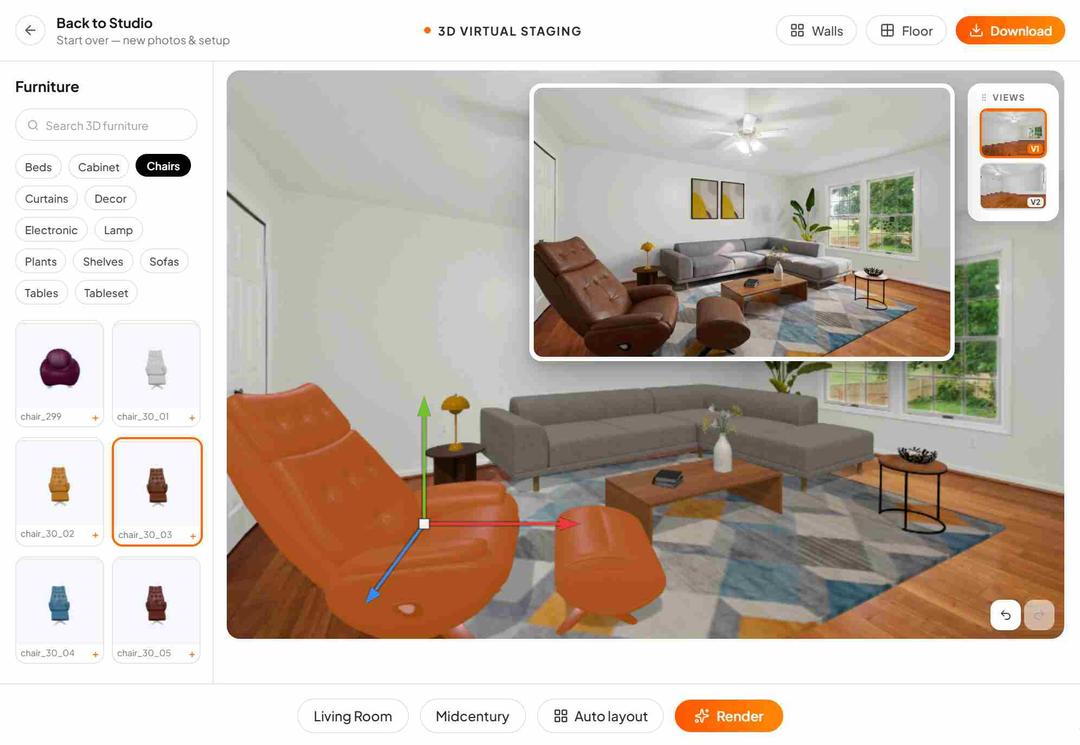
3D Multi-Angle Staging
Drop real 3D furniture into your photos. Every angle stays consistent.
Explore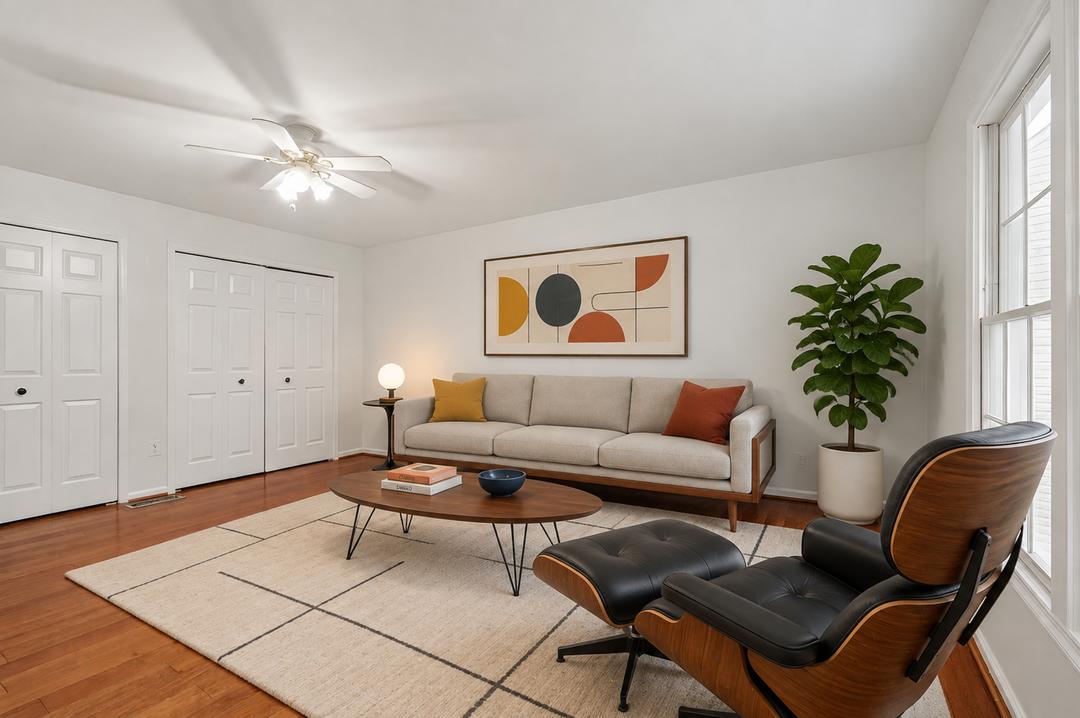 Angle 1
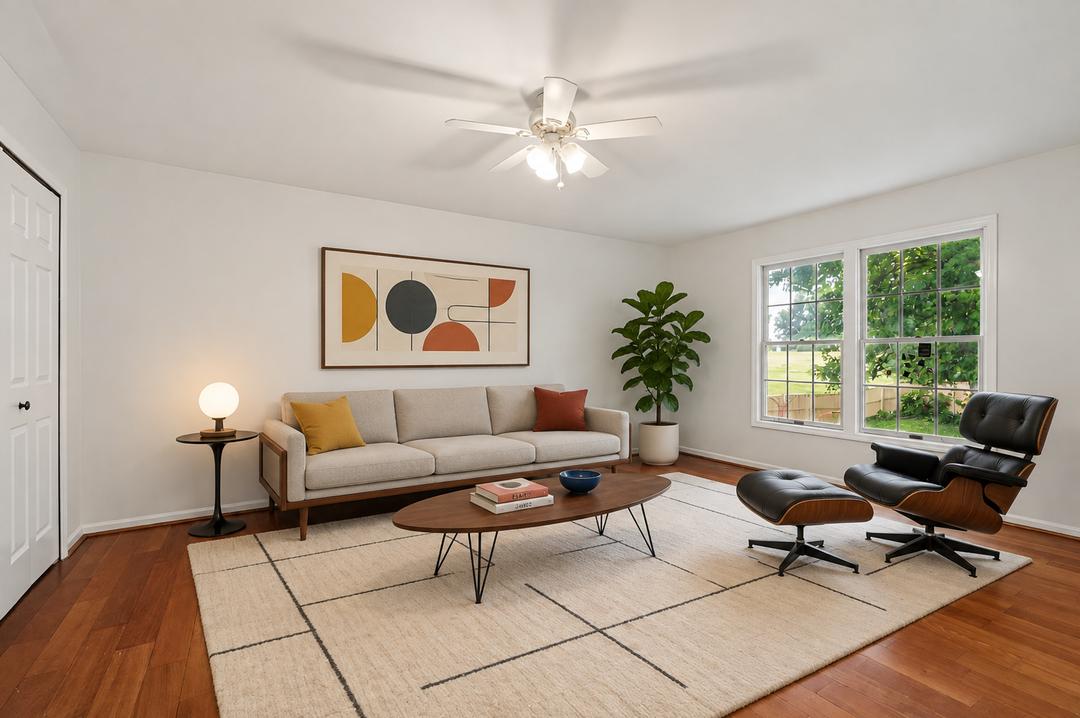 Angle 2
Multi-Angle Staging
Stage every angle of a room at once, in 15 seconds.
Explore
Testimonials
Loved by agents who want every listing to look its best
Edensign's AI editing transformed my empty listings instantly. Clients can finally picture themselves in the space, and I've seen noticeably more showings since I started using it.
Sarah Mitchell
Real Estate Agent, Seattle
A game-changer for pre-sales. We polish exteriors and interiors before the listing goes live, and the turnaround is seconds instead of the weeks a vendor used to take.
Raj Patel
Property Developer, Austin
The output drops straight into our MLS and OTA channels at full resolution. No reformatting, no reshoots — it has quietly removed a whole step from my listing workflow.
Marcus Chen
Listing Photographer, San Francisco
I manage hundreds of units, and being able to fix photos in bulk changed everything. What used to eat a full day now takes minutes, and the quality is consistent every time.
Jennifer Rodriguez
Property Manager, Miami
Buyers respond to the emotion in a great photo. Edensign lets me give every listing that hero-shot polish without booking a second shoot day.
Amanda Foster
Luxury Real Estate Broker, Boston
Fast, photorealistic, and convincing. Clients cannot tell it was edited, and I disclose it anyway — it just makes the listing look its best.
Kenji Yamamoto
Commercial Real Estate Agent, Los Angeles
Frequently asked questions
Upload a single interior or exterior photo and choose a scene type (interior, accent wall, or exterior facade) plus a target paint color. Our AI repaints the targeted wall surfaces while keeping trim, ceiling, floor, furniture, lighting, and camera angle identical to the original. Most photos finish in about 10 seconds.
Yes. Architecture, room geometry, trim, baseboards, ceilings, floors, furniture, art, plants, and the camera framing all stay locked. Only the targeted walls are repainted, with the original shadows and lighting carefully preserved on top of the new color.
Interior mode repaints every visible interior wall in the room with the same color. Accent mode repaints only the dominant focal wall (typically behind a bed, sofa, or fireplace) and leaves the others untouched. Exterior mode repaints the building facade siding, stucco, or painted brick — leaving roof, trim, doors, windows, and landscaping alone.
Most platforms allow cosmetic photo enhancements as long as the property itself is accurately represented. We recommend disclosing AI-repainted photos in your listing description and pairing them with a recent unedited photo so buyers know what they're walking into.
Yes. You can run the same source photo through every color in the palette to compare options or build a full set of cover variations from a single upload.
Around 10 seconds per photo. Batch albums are processed in parallel, so a typical listing set is ready in 30s - 1min.
No. We preserve your original resolution and avoid over-compression, so results are ready for MLS, OTA channels, and printed marketing material.
Your Next Listing
Deserves a Better Vision
Start staging in seconds. No credit card. No design skills.
Drag & drop your listing photo here
Supports JPG, PNG, WebP, AVIF, HEIC