landing page background
For Compass® listings

AI virtual staging for Compass.com — at the editorial photo bar Compass renters and buyers expect.

Compass listings sit at a higher visual register than the rest of the portal stack. The detail page is magazine-spread; the Collections share is one-tap; the Private Exclusive teaser has to seduce in a single hero. Edensign stages to that bar in about 15 seconds per photo — no studio scheduling, no per-listing styling vendor.

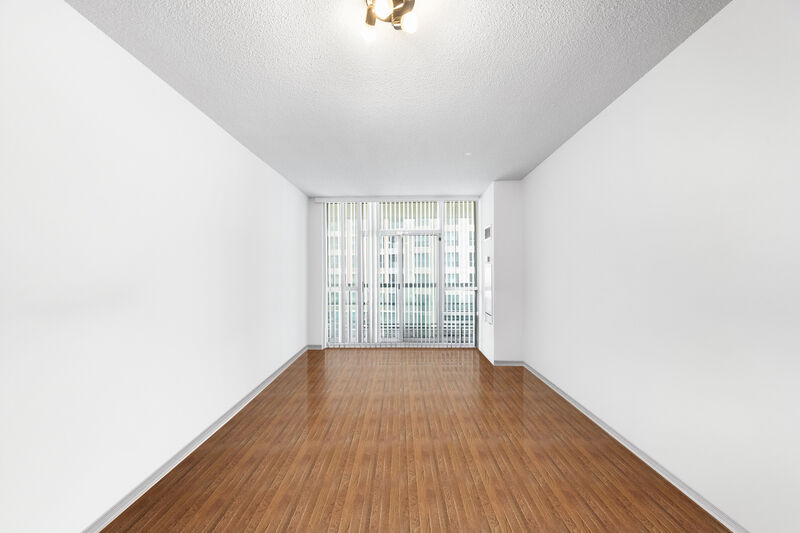
Detail-page hero staged for Compass.com · 15s (before)
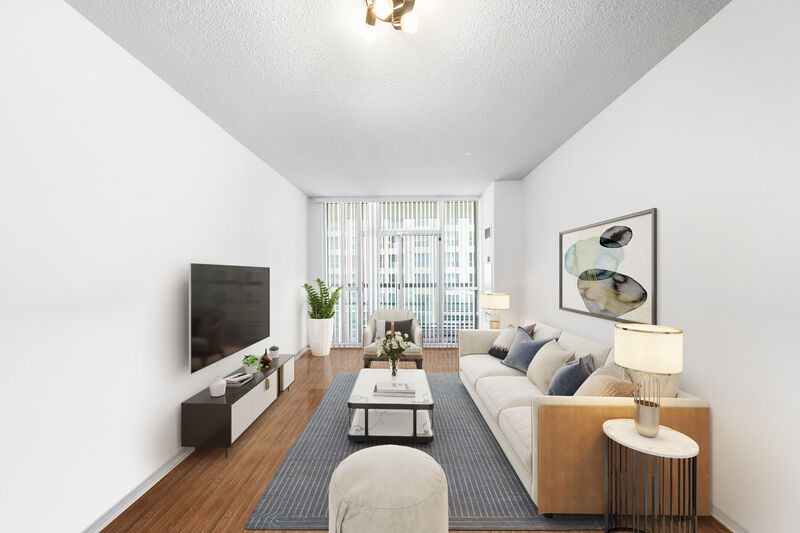
Detail-page hero staged for Compass.com · 15s
Before
After
Upload Image
Drag & drop your photo or click to browse
Supports JPG, PNG, WebP, AVIF, HEIC
No credit card required, your first 2 rooms are free.

Used by Compass agents publishing across NYC, LA, Miami, SF, Aspen, the Hamptons, and more

Atelier RealtyNorth Studio GroupEditions HomesMarbel EstatesHayes & CoObject Realty

Independent service. Not affiliated with or endorsed by Compass, Inc.®

Trusted By

Why Compass.com is different

Compass listings sell on editorial polish, not raw inventory.

The luxury photo bar

Compass over-indexes in top-tier markets — NYC, LA, Miami, SF, Aspen. Buyers in those markets read photos the way they read magazines: composition, light, register. Vacant rooms or mismatched styling don't just lose clicks — they signal 'wrong market for this brokerage'.

High-end market expectation

Coming Soon & Private Exclusives

Compass agents can market Coming Soon and Private Exclusive listings inside the Compass network before they hit MLS. The teaser surface is a single hero photo — buyers either request more or move on. Staged heroes earn the inbound.

Pre-MLS teaser surface

Collections shared with clients

Compass Collections lets agents share a curated set of listings with a buyer client in a magazine-style folder. Inconsistent staging across the set — one editorial, one vacant — breaks the curated feel. Edensign keeps the whole Collection on the same register.

One register across the whole folder

Workflow

Stage once. Publishes via Compass, syndicates to MLS, surfaces everywhere.

  1. 01

    Upload your listing photos to Edensign.

    Photographer-delivered finals, RAW, or HEIC. No size limit beyond the per-photo 20MB cap.

  2. 02

    Stage to the Compass register.

    Pick an editorial style brief — Modern, Editorial, Warm Minimal — and apply it across the full set. Multi-view consistency holds the magazine feel through every angle.

  3. 03

    Upload to Compass — MLS and portals pick up downstream.

    Drop the staged JPGs into the Compass back-end. Add the MLS-required "Virtually Staged" caption per your local rules. Compass.com refreshes immediately; MLS-fed portals catch up within 4–24 hours.

Image specs

Compass.com photo requirements — and how Edensign matches them.

Compass doesn't publish a strict spec sheet, but the system optimizes around the editorial detail page. These are the constraints that bind when you publish through the Compass back-end.

  • Minimum dimensions
    Platform
    1,024 × 768 px effective minimum; Compass re-encodes smaller uploads but the editorial detail page punishes low-res sources
    Edensign
    FitsOutput preserves the input resolution. Photographer files at 4K+ stay 4K+ after staging — well above the Compass minimum.
  • Recommended dimensions
    Platform
    ≥ 2,400 px on the long edge for the hero; ≥ 1,920 px for gallery photos to stay sharp on retina laptops and the Compass app
    Edensign
    FitsCommon photographer deliveries (3000–6000 px wide) pass through unchanged. Hero crops stay sharp on full-screen displays and the magazine-spread detail page.
  • Aspect ratio
    Platform
    Detail-page hero is ~16:9; magazine-grid is mixed; Collections preview is 4:3; feed thumb is square
    Edensign
    FitsFurniture and styling placed centrally so the focal vignette survives every Compass crop — magazine grid, Collections share, square thumb.
  • File format
    Platform
    JPEG preferred; PNG accepted; HEIC accepted via the Compass uploader
    Edensign
    FitsJPEG export at quality 92 by default. PNG export available for floorplans and brochure assets.
  • Max file size
    Platform
    Practical limit ≈ 20 MB per photo via the Compass back-end
    Edensign
    FitsTypical Edensign output is 1–6 MB at full photographer resolution. Always under the cap.
  • Photos per listing
    Platform
    No hard cap; Compass listings routinely show 40–80 photos with full magazine-grid layout
    Edensign
    FitsPer-photo pricing scales to a full editorial set — staging 50 photos costs $35–$50 depending on tier.
  • Photo order
    Platform
    Agent-controlled in the Compass back-end. The first photo carries the hero across Compass.com, Collections, and the Coming Soon teaser
    Edensign
    FitsStage the hero first — usually a twilight exterior or a single editorial interior — then the kitchen, primary, living. Edensign's batch flow keeps the set numbered through export.

Reflects the Compass back-end and Compass.com detail-page behavior as of 2026. Compass iterates on the consumer surface frequently — verify current behavior in the back-end before publishing.

Display slots

Compass.com surfaces you’re actually optimizing for.

Compass isn't just a search feed — it's a four-surface ecosystem (Compass.com, Coming Soon, Collections, app). Your photo set has to land on each one without re-staging.

Compass.com detail page

Magazine-spread layout: large editorial hero, mixed-aspect photo grid, neighborhood block, agent card. Buyers spend 90–180 seconds here on an active search.

Edensign fitConsistent editorial register across the full set — color temperature, furniture style, styling density all hold from photo to photo. No jarring shifts as buyers scroll.

Coming Soon & Private Exclusive teasers

Pre-MLS surface inside the Compass network. The teaser is one hero photo, the address, and a short pitch — buyers either request more or move on.

Edensign fitStage the strongest single photo first — twilight exterior, single editorial interior — to earn the inbound before the listing goes wide on MLS.

Compass Collections share

Curated listing folder shared between agent and buyer client. Each listing card uses the hero photo; the side-by-side comparison is the buying conversation.

Edensign fitMulti-view consistency means every listing in a Collection reads on the same register. The Collection feels curated by the agent, not assembled from portals.

Compass mobile app

The Compass app is where most active buyers browse on the move. Square thumb in the feed, swipeable hero on the detail page, magazine-grid in landscape.

Edensign fitBright, well-staged hero photos with centered focal vignettes read at app-thumbnail scale — even in dense list views or pinch-zoomed previews.

Use cases

The listings that pay back fastest with Compass-grade staging.

Six listing profiles where Compass's editorial photo bar makes staging non-optional.

01

Luxury vacant single-family

Luxury vacant

Vacant in Aspen, the Hamptons, or BH reads worse than vacant in the suburbs — buyers expect editorial. Stage every key room before the listing hits Compass.com.

Before
After
02

Coming Soon / Private Exclusive teaser

Coming Soon

The Coming Soon surface is a single-photo bet. Stage the strongest hero before you push the teaser — buyers either request more or move on.

Before
After
03

Urban high-rise condo

High-rise

Empty NYC, SF, or Miami condos with strong views need staged interiors to ground the view — otherwise the buyer just sees a vacant box and a skyline.

Before
After
04

Dated luxury refresh

Dated luxury

Heavy upholstery and dated styling sink even premium listings on the Compass detail page. Replace with editorial-register staging — same angles, modern register.

Before
After
05

Day-to-dusk editorial exterior

Editorial twilight

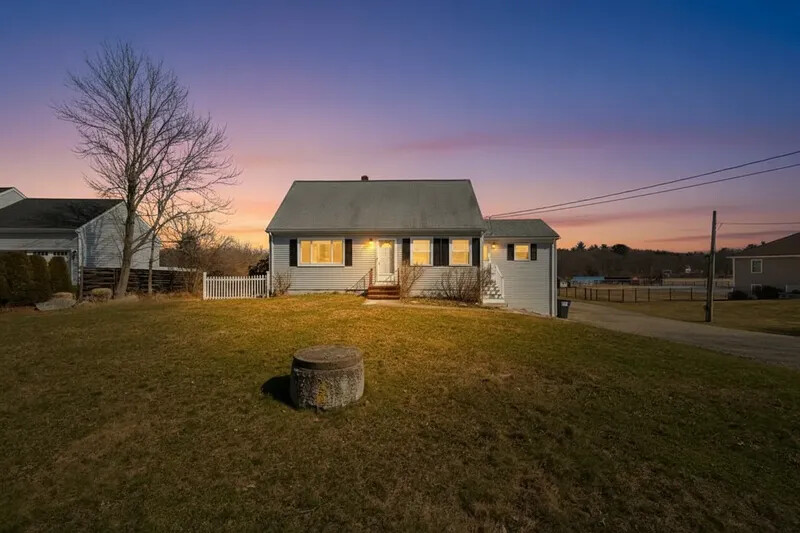
The single highest-converting hero variant on the Compass detail page. Magazine-grade dusk exterior, no re-shoot needed.

Before
After
06

Multi-listing buyer Collection

Collections

Stage every listing in a buyer's Collection on the same editorial register. The folder feels curated, not assembled — the agent reads as the expert.

Before
After

Pricing for Compass agents

Per-photo pricing that fits a 40–80 photo editorial set.

Most Compass agents sit on Professional ($0.77/photo) — a full 50-photo Compass.com photo bar runs about $39, well under one hour of an editorial staging vendor's time.

Starter

$1.33per photo

$20 USD / mo

180 photos / year · billed annually

Great for real estate agents testing virtual staging.

Pro

Most Popular
$0.90per photo

$45 USD / mo

600 photos / year · billed annually

Designed for active realtors and photographers with consistent listings.

Premium

$0.78per photo

$117 USD / mo

1800 photos / year · billed annually

Volume1800 photos/yr
150300500100020005000

Tailored for brokerages and real estate teams with high-volume needs.

What Compass agents ask before signing up

Yes. Compass accepts virtually staged photos as long as the listing complies with the host MLS's disclosure rules — typically a 'Virtually Staged' label in the photo caption or listing remarks. For Coming Soon and Private Exclusive listings inside the Compass network, the same disclosure convention applies. Edensign output itself is policy-neutral; the disclosure is your responsibility.

No — and the Compass detail page actually rewards visual polish. The Compass.com surface is editorial-grade by design, and clean, consistent staging lifts dwell time, Collections saves, and inbound on Coming Soon teasers. The downside risk is buyer trust if you don't disclose; the upside is meaningful engagement lift on the highest-value surface in residential real estate.

Yes. Compass Collections inherits the hero photo from the listing itself. When every listing in a Collection is staged on the same register, the folder reads as agent-curated rather than assembled from portals. That single signal often drives the conversation forward with the buyer.

Coming Soon and Private Exclusive teasers expose a single hero photo to the Compass network. Stage the strongest single image first — usually a day-to-dusk exterior or a single editorial interior — and use that as the teaser hero. The full set can be staged later for the wide-launch MLS push.

Compass doesn't publish a hard spec sheet, but the editorial detail page punishes low-res sources. Plan for ≥ 2,400 px on the long edge for the hero and ≥ 1,920 px for gallery photos. Edensign preserves your photographer's native resolution (typically 3000–6000 px wide), so you're always above the threshold.

Direct Compass back-end uploads typically reflect on Compass.com within 15–30 minutes. MLS-fed downstream portals (Zillow, Realtor.com, Redfin, Trulia, Homes.com) catch up within 4–24 hours. Edensign's 15-second render time means you can iterate on a Coming Soon hero in the same morning.

Yes — that's actually the strongest argument for Edensign on a Compass team. One account, one style brief library, individual agent logins, centralized billing. Every listing your team publishes to Compass.com lands on the same editorial register, which is the brand signal Compass listings sell on in the first place.

Stage for the other listing platforms too.

Pages tailored to each major listing surface and its photo rules.

Your Next Listing
Deserves a Better Vision

Start staging in seconds. No credit card. No design skills.

Drag & drop your listing photo here

Supports JPG, PNG, WebP, AVIF, HEIC

Contact Sales

Trademark notice. Edensign is an independent service. Compass®, Compass Collections®, Compass Coming Soon®, Compass Private Exclusives®, and all related marks are registered trademarks of Compass, Inc. Edensign is not affiliated with, endorsed by, or sponsored by Compass, Inc. All trademarks belong to their respective owners.