landing page background
For Realtor.com® listings

AI virtual staging for Realtor.com — stage the full Realtor.com carousel. Every photo. Every angle.

Realtor.com pulls directly from the MLS and shows up to 75 photos per Realtor.com listing in a tap-through carousel. Edensign stages the whole Realtor.com set in one pass — consistent style across every room, every angle — so the Realtor.com carousel reads as one listing, not eight.

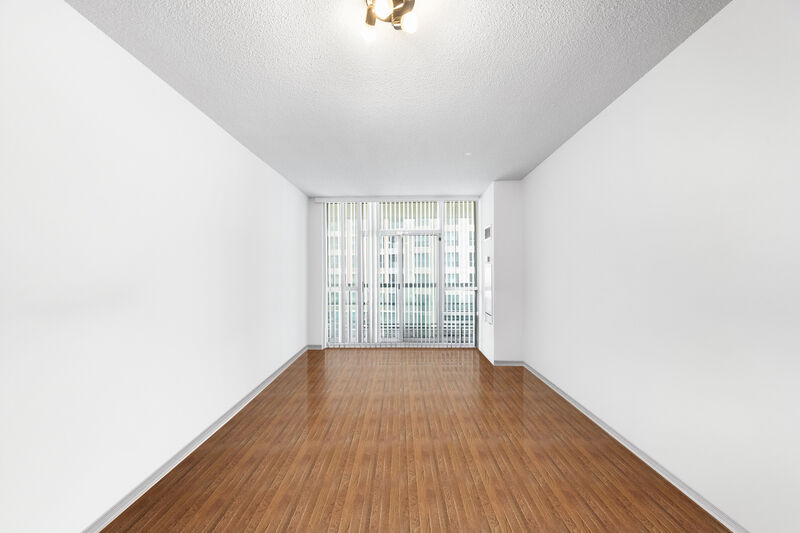
Carousel photo staged for Realtor.com · 15s (before)
Carousel photo staged for Realtor.com · 15s
之前
之后
上传图片
拖放照片到此处或点击上传
支持 JPG、PNG、WebP、AVIF、HEIC
无需信用卡,前两张房间照片免费。

Used by Realtor.com publishers across LA, NYC, Chicago, Dallas, Atlanta, and more

Atelier RealtyNorth Studio GroupEditions HomesMarbel EstatesHayes & CoObject Realty

Independent service. Not affiliated with or endorsed by Move, Inc.®

值得信赖的品牌

Why Realtor.com is different

Realtor.com is MLS-authoritative, buyer-led, and 75 photos deep.

The MLS-trusted surface

Realtor.com is the official site of the National Association of Realtors and pulls listing data directly from MLS feeds. Buyers who trust the data come here. Edensign output carries the standard MLS disclosure label so trust isn't the friction.

NAR-affiliated, MLS-first feed
75 photos, not 36

Realtor.com supports up to 75 photos per listing — more than any major platform. Buyers swipe through the full carousel. Vacant rooms or inconsistent staging breaks the rhythm. Edensign keeps every photo on the same visual register.

Up to 75 photos per listing

Buyer-led intent searches

Realtor.com traffic skews toward serious buyers in active search. They filter, sort, and compare — photo set quality is a deciding factor between two otherwise-matching listings. Staged completeness wins close calls.

Higher buyer-intent than feed platforms

Workflow

Stage once. Publishes via MLS, surfaces on Realtor.com.

  1. 01

    Upload your photos to Edensign.

    Photographer files, phone photos, or restage-over-tenant-furniture sources all work.

  2. 02

    Stage and order the full set.

    Pick your hero, kitchen, primary bedroom, living room, exterior. Edensign applies the same style brief across every photo so the carousel feels intentional.

  3. 03

    Upload to your MLS — Realtor.com picks up.

    Realtor.com ingests MLS photos within 4–24 hours of MLS update. Add the MLS-required "Virtually Staged" caption per your local rules.

Image specs

Realtor.com photo requirements — and how Edensign meets them.

Realtor.com inherits image specs from the host MLS, then applies its own re-encoding for the consumer-facing carousel. These are the constraints that actually bind.

  • Minimum dimensions
    Platform
    640 × 480 px enforced by most MLS feeds. Realtor.com re-renders to fit the carousel.
    Edensign
    FitsEdensign output preserves the photographer’s native resolution — almost always 2000+ px wide, never the lower bound.
  • Recommended dimensions
    Platform
    1,024 × 768 px minimum, 1,920 × 1,440 px ideal for a sharp full-screen carousel
    Edensign
    FitsPhotographer files at 3000–6000 px wide stay at that resolution after staging. Carousel renders sharp on retina laptops.
  • Aspect ratio
    Platform
    Carousel renders at 4:3; vertical photos (portrait) get letterboxed; feed thumb is square
    Edensign
    FitsNative horizontal photography (the default photographer output) renders cleanly. Avoid portrait phone shots if possible.
  • File format
    Platform
    JPEG only via most MLS feeds. PNG and HEIC re-encoded or rejected.
    Edensign
    FitsJPEG export by default. PNG export available if your MLS supports it.
  • Max file size
    Platform
    MLS-feed dependent. Most MLSes cap at 10–20 MB per photo. Realtor.com re-renders smaller.
    Edensign
    FitsTypical Edensign export is 1–6 MB — well under every MLS cap encountered to date.
  • Photos per listing
    Platform
    Up to 75 displayed on Realtor.com
    Edensign
    FitsPer-photo pricing means a full 75-photo set runs ≈ $44 at Professional tier. Cheaper than one hour of traditional staging.
  • Photo order
    Platform
    Inherits MLS-feed order. First photo is the hero across feed, detail, and email.
    Edensign
    FitsStage and order with intent in your MLS upload. Edensign's batch flow keeps the set numbered.

Reflects Realtor.com behavior and the typical MLS feed contract as of 2026. Your local MLS may impose stricter limits — verify before publishing.

Display slots

Realtor.com surfaces you’re optimizing for.

Realtor.com renders into more surfaces than the average platform. Edensign output has to fit each one without re-staging.

Search-results card

Card view in the buyer search feed: square hero photo, price, beds/baths, and a "Listed by" line. Realtor.com is dense — the photo has to read at small sizes.

Edensign fitBright, well-staged hero photos read at thumbnail scale. No over-busy compositions or muddy mid-tones.

Detail-page carousel (up to 75)

The main listing experience: tap-through carousel of every photo. Buyers spend 90–180 seconds here on average — every photo matters.

Edensign fitConsistent style and color register across the full set. Multi-view stays consistent room-to-room.

Realtor.com Pro lead view

The view buyer-side agents see when reviewing listings to recommend to their buyer clients. Photo set completeness signals listing quality.

Edensign fitStage every key room (kitchen, primary, living, exterior) — even small/empty ones — so the lead view shows a full home, not a partial set.

"Featured" and email-digest hero

Saved-listing emails, "New listings near you" digests, and Pro-recommended slots all reuse the hero photo. Days-on-market puts the same photo in front of buyers repeatedly.

Edensign fitIterate on the hero variant without re-shooting — restage a fresh day-to-dusk hero after 30 days for a free re-engagement lift.

Use cases

Where Realtor.com staging pays back the fastest.

Five common Realtor.com listing profiles where Edensign stages the full carousel cost-effectively.

01

High-volume buyer-rep listings

Volume agent

Agents running 20+ listings a month. Per-photo pricing keeps Edensign under one hour of staging-vendor time.

Before
After
02

Mid-market move-up home

Mid-market

$400K–$900K listings that get 50–75 photos. Multi-view staging keeps every angle consistent.

Before
After
03

Vacant suburban single-family

Vacant

The default Realtor.com use case. Stage every empty room — buyers swipe past blanks.

Before
After
04

Investor-owned rental conversion

Investor

Restage over tenant or staging-vendor furniture without scheduling a vacate.

Before
After
05

Bedroom-by-bedroom multi-view

Bedroom set

Realtor.com listings often show 3–4 bedrooms with two angles each. Edensign keeps all 6–8 photos consistent.

Before
After
06

Kitchen feature photo

Kitchen

Realtor.com's filter UI rewards strong kitchen photos. Add furniture, declutter clutter, replace dated appliances.

Before
After

Pricing for Realtor.com publishers

Realtor.com per-photo pricing that scales to a 75-photo set.

Most agents publishing to Realtor.com sit on Professional ($0.77/photo) — staging a full 75-photo Realtor.com carousel runs about $58.

入门版

$1.33/ 张

$20 美元 / 月

180 张 / 年 · 按 年 计费

适合首次尝试虚拟布置的房产经纪人。

专业版

最受欢迎
$0.90/ 张

$45 美元 / 月

600 张 / 年 · 按 年 计费

为持续出图的活跃经纪人与摄影师量身打造。

高级版

$0.78/ 张

$117 美元 / 月

1800 张 / 年 · 按 年 计费

用量1800 张/年
150300500100020005000

面向高用量需求的中介公司和房产团队。

What Realtor.com publishers ask before signing up

Yes. Realtor.com displays whatever the host MLS feeds it. Each MLS has its own disclosure rules for virtual staging — typically a 'Virtually Staged' label in the photo caption or listing remarks. Edensign output itself is policy-neutral; the disclosure is the agent's responsibility per local MLS rules.

For 99% of MLS-listed properties, you don't upload to Realtor.com directly — you upload to your MLS and Realtor.com ingests within 4–24 hours. Realtor.com Pro members get added analytics and lead routing on top of MLS data, but the photo upload still flows through the MLS.

Realtor.com supports up to 75 photos per listing — more than Zillow (36) or Redfin (typically 30–40). Top-performing Realtor.com listings sit at 40–75 photos. Edensign per-photo pricing makes the full carousel affordable; staging vendor pricing typically caps your budget at 8–15 rooms.

Realtor.com re-encodes everything to fit the carousel, but quality holds best when input is ≥ 1,024 × 768 px (minimum) or 1,920 × 1,440 px (ideal). Edensign preserves photographer-native resolution (typically 3000–6000 px wide), so you’re always above the recommended threshold.

No, as long as you (a) disclose virtual staging per your MLS rules, (b) only modify movable items (furniture, decor) rather than structural elements, and (c) keep the underlying property accurately represented. Edensign defaults preserve walls, floors, windows, and ceilings — only furniture and decor change.

Yes. Team plans include centralized billing, individual agent logins, and per-agent usage reports. Useful for offices where every listing goes through one transaction coordinator's queue but multiple agents own the listings.

Most MLSes push updates to Realtor.com within 4–24 hours. Edensign's 15-second render time means you can stage a fresh hero on Monday morning and see it live on Realtor.com by Tuesday morning at the latest.

Stage for the other listing platforms too.

Pages tailored to each major listing surface and its photo rules.

你的下一个房源
值得更出色的视觉呈现

几秒钟开始虚拟布置。无需信用卡,无需设计经验。

将房源照片拖放到这里

支持 JPG、PNG、WebP、AVIF、HEIC

联系销售

Trademark notice. Edensign is an independent service. Realtor.com® and the Realtor.com logo are registered trademarks of Move, Inc., operated under license from the National Association of REALTORS®. Edensign is not affiliated with, endorsed by, or sponsored by Move, Inc. or the National Association of REALTORS®. All trademarks belong to their respective owners.